
- It is crucial to stay up to date on SEO if you want your website to succeed.
- Google considers site performance one of the most crucial ranking factors.
- There are many tools you can use to audit your website easily.
What is an SEO audit?
- On-page SEO.
- Organic ranking.
- Thin content.
- XML sitemaps.
- Technical SEO problems.
- User experience.
- Page speed (I.e., the loading time for specific pages on your website).
- Google Search Console.
- Mobile-friendly capabilities.
- Internal linking.
- External linking.
- Indexability.
- Meta descriptions, meta tags, structured data, etc.
SEO audit statistics
SEO audits are imperative because:- Only 0.63% of Google searchers go to the second page of Google results, and around 96.55% of websites get no traffic from Google at all. So your website must rank on the first page.
- The higher up in rank you are, the better off you are – the first-ranked website on Google search gets an average CTR of 39.8%.
- When a user performs a search, the Google algorithm uses more than 200 factors to rank a website. If your website doesn’t meet those criteria, it’s less likely to rank on the first page, resulting in losing customers.
- According to research by Statista in 2023, 58.33% of website traffic comes from mobile phones worldwide, so if you want to hit those people, you must ensure your website is mobile-friendly.
The importance of a technical SEO audit
Through an audit, you can find out many different things, including the existing website content, the user experience, and the website’s overall credibility. An SEO audit can show where to focus your SEO efforts. One of the most significant benefits of performing an SEO audit is maintaining control over your online presence without having any unplanned downtime or issues with Google. If your site isn’t correctly optimised for search engines, you will lose customers and organic traffic. Here are five reasons why you should consider conducting an SEO audit.1. It helps you tackle frequent Google algorithm changes
Search engines are constantly evolving with their algorithm updates, and as we mentioned earlier, Google updates their algorithms numerous times throughout the year. As Google has a more significant impact on our traffic than any other search engine, you must keep up to date with their requirements to keep your website ahead of the competition. With proper and periodic SEO updates, you can keep your website updated and ready to cater to your users anytime.2. Boosts your site’s overall performance
Site performance is among the most important ranking factors for Google and other search engines. Running an SEO audit helps fix your website’s problems to enhance that performance, including your content, page speed and linking. After making changes, remember it may take weeks or even months for Google to pick up those edits. An SEO audit doesn’t change your ranking overnight, but it can help companies improve their website’s issues to ensure their site is more user-friendly and reachable.3. Keeps your site mobile-optimised and fast
Since the introduction of search engine optimisation (SEO), site speed has been considered a major factor in ranking. In recent years, its importance has skyrocketed due to the growth of mobile devices. People using mobile phones don’t want to wait to get results. 40% of people click the exit button if your website shows a delay of 3 seconds. Periodic SEO audits will keep your website away from the slow-loading defects that pull down your ranking.4. Keeps you ahead of the competition
SEO audits can benefit your business by bringing valuable information about your competition. Some of the information you might learn includes their strengths and weaknesses and what keywords they are using on top of how well they are doing with SEO. By understanding your competition, you will better know your audience and where to find them. And if you want to beat the competition, try implementing similar keywords to see how well you do with them.5. It lets you refresh your old content
If people are visiting a particular site but aren’t coming back or re-visiting in a relatively short period, it might be due to old or irrelevant content. Fresh, high-quality content is essential for search engines to notice you, and in turn, this will improve your ranking. With SEO audits, you can find and fix any dead pages and out-of-date content to help you attract and retain new website visitors.The advantages of an SEO audit
- It helps you optimise every corner of your site, enhancing its overall performance.
- It puts an end to any historic SEO practices that have led you to be penalised with new updates.
- It helps keep your site refreshed with all the frequent Google algorithm updates.
- It helps dust off old and irrelevant content so your site isn’t outdated.
- With periodic audits, you can find the best-performing keywords and optimise your content accordingly.
- It gives insights about your competitors.
- It helps in finding the top-performing pages and the pages that give leads.
- It helps in tracking your competitor’s moves in terms of SEO.
- Provide visitors with a better user experience.
The disadvantages of an SEO audit
- SEO audits can be time-consuming.
- There is no guarantee of results, and it’s hard to predict the impact of the changes.
- It requires constant and keen monitoring to scale the efforts.
- It takes time for the implementation of changes to be reflected in the search results.
- It needs to be consistent, with regular audits 2-4 times a year.
- Not all warnings need to be fixed and implemented.
Examples of an SEO audit
The following examples show the benefits of a detailed SEO audit.Example 1: Brian Dean increased his organic traffic by 652% in just 7 days
In this example, Brian Dean published an SEO checklist article with all elements in its place. The result was pretty good at the initial stage, as shown below: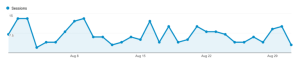 Source: Backlinko
But, it decreased over time. Brian Dean smashed the defects and boosted his organic traffic by 652%.
Source: Backlinko
But, it decreased over time. Brian Dean smashed the defects and boosted his organic traffic by 652%.
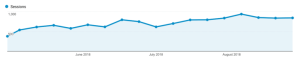 Source: Backlinko
Here is what he did:
Source: Backlinko
Here is what he did:
- Enhance content by updating it with rich media and videos.
- Tailor content according to search intent by analysing the keywords used in his article.
- Optimised his page’s structure by giving sufficient whitespace, enriching media, and a table of contents to enhance the user’s experience.
- Brian Dean used the Skyscraper technique 2.0.
Example 2: Diggity 4X’d traffic and doubled revenue with their SEO strategy
Matt Diggity generated around $48k consistent monthly income organically with an SEO audit to an eCommerce store.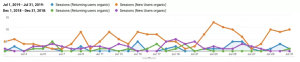 Source: Diggity Marketing
Their content strategy has redefined the analytics metrics of their blog. As a result, Diggity saw a vast improvement in traffic and returning visitors, which opened a whole new pool of potential customers for the business.
Here is what he did:
Source: Diggity Marketing
Their content strategy has redefined the analytics metrics of their blog. As a result, Diggity saw a vast improvement in traffic and returning visitors, which opened a whole new pool of potential customers for the business.
Here is what he did:
- Image optimisation.
- Site optimisation for a better user experience.
- Technical audit.
- Internal link building.
- On-page optimisation.
- Backlink building.
How to conduct a simple SEO audit?
If the examples above inspire you, it’s time to start working on your own strategies. Here are some things to include in your SEO audit checklist.Step 1: Mobile page optimisation
Mobile SEO is now more important than ever before. For starters, 5.32 billion people worldwide use mobile phones, capturing 67% of the global population. It’s important to note that 60% of consumers use their smartphones to conduct product searches on the internet. Based on these stats, you can see that optimising your site for mobiles is crucial. To test your site, you can use Google’s mobile-friendly testing tool. All you have to do is, enter your site URL and click Test URL. Source: Google’s Lighthouse
It may take 2-3 minutes to run the test, and based on the suggestions, you can improve your mobile page optimisation.
Source: Google’s Lighthouse
It may take 2-3 minutes to run the test, and based on the suggestions, you can improve your mobile page optimisation.
Step 2: Check for Google penalties
The next stage in boosting your rank and decreasing Google penalties is determining whether your website has been penalised. You should make some changes if your website is subject to a manual or algorithmic penalty. First, you should determine when the penalty was levied and why it occurred, and then devise an action plan to address these issues and adequately resolve the matter with Google. You can check penalties with the help of Google Search Console. Select ‘manual actions’ from the left menu of Google Search Console. Then, if any manual action is imposed on your website, you can see the reason(s).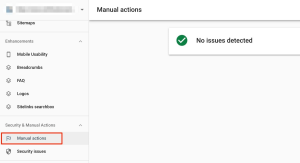 Source: Reliable Soft
You can also compare your website’s visits as charted in Google Analytics (your primary web analytics platform) for the dates Google added or removed a search ranking factor from its algorithm.
A sudden drop could indicate that your website was affected. Compare the dates you see significant traffic changes with the dates Google released a change to its search engine formula.
Suppose the above tests indicate that your website is indeed into trouble. In that case, the best approach is to find out as many details as possible about the Google updates and adjust your SEO strategy accordingly.
For example, if a site gets dinged by Google because of “thin content” (content that has little or no value to readers), you should check your content’s quality in your on-page SEO audit section. Then, you can either improve, redirect or remove pages that don’t meet the quality standards.
Source: Reliable Soft
You can also compare your website’s visits as charted in Google Analytics (your primary web analytics platform) for the dates Google added or removed a search ranking factor from its algorithm.
A sudden drop could indicate that your website was affected. Compare the dates you see significant traffic changes with the dates Google released a change to its search engine formula.
Suppose the above tests indicate that your website is indeed into trouble. In that case, the best approach is to find out as many details as possible about the Google updates and adjust your SEO strategy accordingly.
For example, if a site gets dinged by Google because of “thin content” (content that has little or no value to readers), you should check your content’s quality in your on-page SEO audit section. Then, you can either improve, redirect or remove pages that don’t meet the quality standards.
Step 3: Check for technical SEO issues
A website should be optimised periodically to ensure search engine spiders can scan and index your pages hassle-free. Some of the considerations include:Is your site registered with Search Console?
Google and Bing Webmaster Tools are free tools that give web admins information to help them better maintain their websites. Both of these tools provide valuable data, so you’ll know how well your site is performing, and you’ll be able to identify what might need some improvements. You can find the following data with Google Search Console:- The number of indexed pages.
- The keyword for which you are ranking.
- Keyword organic traffic.
- Mobile usability issues.
Have you set your preferred domain in Google Search Console?
You might already know this, but it’s possible to have different versions of your site indexed in Google. For example, here are four different versions of the same site:- http://example.com.
- http://www.example.com.
- https://example.com.
- https://www.example.com.
Did you activate breadcrumbs?
Site navigation is often the most challenging thing for website owners and corporate marketing managers to manage. But it has to be done. Look at the image below. It has the breadcrumb for precise navigation. Source: Inidigit
Google always recommends having a breadcrumb trail on your site to make navigation easier for visitors. Ensure your site’s breadcrumb trail is configured correctly according to Google’s specifications.
Apart from this, you should also consider:
Source: Inidigit
Google always recommends having a breadcrumb trail on your site to make navigation easier for visitors. Ensure your site’s breadcrumb trail is configured correctly according to Google’s specifications.
Apart from this, you should also consider:
- Structured data.
- Set canonical URLs.
- URL optimisation.
- Optimise 404 pages and implement 301 redirects for 404s.
- Optimise XML sitemap.
Step 4: Enhance your site’s structure
If you don’t optimise the internal linking structure within your website, users may be unable to find information and are less likely to remain engaged. Use these tips to enhance your site structure:- Develop user-friendly solutions that enhance your website’s UI without compromising the user’s experience.
- If your blog index page only contains ten posts at a time, this pushes older posts some 20-30 scrolls away from your site’s front page (where all of the most equity is held). To keep more people scrolling down through your content, reduce the number of posts to bring those older posts closer to the front page.
- Keep a reasonable number of links on each page. Your ultimate goal is to keep your reader engaged with the content and explore other pages with internal linking. So balance both factors. Blogely suggests using 3-5 links per 1000 words for striking a balance.
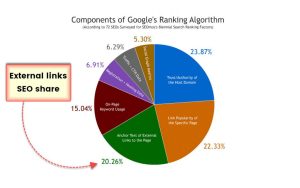 Source: Blogely
5. Find and fix duplicate content
According to Google, occasional duplicate content won’t negatively impact your SEO rankings, and a study by Raven found that up to 29% of pages have duplicated content. Google is smart enough to know whether or not you’re intentionally and maliciously adding duplicate content to your site to improve its reputation through backlinks. Perhaps your website dynamically generates new pages similar in content, title, description, and URL structure to a canonical page in Search Console. WordPress does this with archive pages. Duplicate content won’t cause Google to flag or penalise you. However, if Search Console is not set up correctly, Google might be indexing these duplicate pages (or not indexing the version you want to rank). You can identify the duplicate content using tools like Siteliner, which will scan and pinpoint the duplicate content. Just enter the URL of your site and click on ‘go.’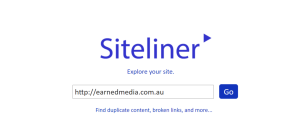 Source: Siteliner
It gives an easy-to-read view, showing you which pages have a matching percentage and which pages match other pages.
Source: Siteliner
It gives an easy-to-read view, showing you which pages have a matching percentage and which pages match other pages.
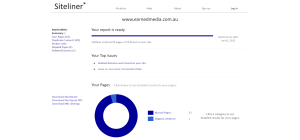 By using Siteliner, you can quickly identify if there is any duplicate content that exists along with the URL, as shown below.
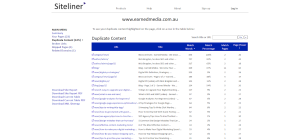 With this data, you can find and remove them to enhance your site’s performance.
6. Optimise your site speed
Page speed is vital after Google launched its Speed Update and Page Experience Update. This is partly due to the increased usage of mobile devices to perform searches. Anyone using a phone to search on the internet isn’t going to wait for a slow-loading site. The faster your site is, the more likely Google will reward you with strong organic rankings. Google has an excellent tool at its disposal called PageSpeed Insights. It gives you granular looks at page speeds and offers suggestions for improvement. If you need to optimise your site speed, here are a few suggestions:- Optimise your images. When looking toward simple tools that can help improve speed, compressing your images is one of the more straightforward routes to turn.
- Implement lazy loading for a considerable performance gain to the first point of any app or website. Often websites are overwhelmed by all the data initially loading at once. It results in a poor user experience when it comes down to loading times on mobile devices. This strategy will make sure that this issue won’t arise.
- Clean your site’s HTML code. By running a website analysis, you can find out if your site’s HTML code is growing in size. When cleaning your site’s HTML code, remember that not everything will be helpful for your site. Find out what is slowing down your site and remove it.
- Use code optimisation tools like CSSNano and UglifyJS to increase your pages’ speed. Also, eliminate formatting and code comments because they’re unnecessary to deliver optimised content. In fact, Google recommends it.
- Enable file compression. Using Gzip can save you money. Compressed files take up less disk space on your server, so you don’t have to pay for as much data as you would if you left the files uncompressed. Less data costs less money, and that’s always a good thing in the eyes of a small business.
SEO audit tools
Performing an SEO audit can be daunting. The following SEO tools will help you conduct an audit efficiently.1. Hubspot Website Grader
The HubSpot Website Grader is a free web tool that takes only a few minutes to run a complete website scan. The grade you receive will give you actionable insights into your SEO strategy to help improve your overall score. Generally speaking, most SEOs do not use Hubspot Website Grader. But instead, the tool is valuable to businesses with limited SEO knowledge who are looking for general insights that are not yet using a full suite of SEO tools (Ahrefs, Semrush, Screaming Frog, Moz, etc.). It helps to:- Analyse website performance.
- Spot and fix the issues.
- Optimise for mobile.
- Personalise your website UX for a better user experience.
 Source: Hubspot’s Website Grader
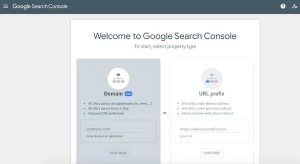
2. Google Search Console
Google Search Console has several features that help you track and monitor what you want. Analytics can help you conduct an initial SEO analysis from scratch or update your existing SEO strategy with new keywords. You can use this for:- Identifying new keywords.
- Identifying crawl errors that appear on your website.
- Optimising your site for mobile responsiveness.
- Identifying the number of pages indexed on Google.
- Identifying the metrics that matter the most with the search console.
3. Semrush
Semrush’s Site Auditor allows a user to quickly identify common SEO problems with a website, such as issues with duplicate content, loading speed, mobile responsiveness, and much more that plagues small businesses. The tool also gives suggested remedies that allow one to rectify problems and improve SEO and overall crawlability of the site, which benefits search engines. It helps in:- Analysing backlinks.
- Finding keywords.
- Spy your competitor’s strategies.
- Perform entire site audit.
- Review the SEO status of your site.
 Source: Semrush
4. Ahrefs
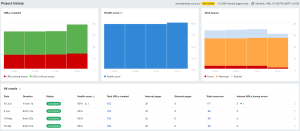
Ahrefs is a free SEO-checker tool that aims to help website owners learn about their site’s current level of rule compliance. By simply entering your URL into the form and clicking on, ‘site audit,’ Ahrefs will analyse your site, and you’ll receive tips on how you can better optimise it for search engines. It helps in:- Finding technical errors.
- Analysing SEO scores for page quality, link structure and more.
- Discovering optimisation opportunities.
- Finding link structure suggestions.
- Fixing server error fixes.
- Local SEO.
 Source: Ahrefs
5. Check my links
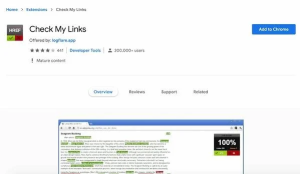
Check My Links is a Google Chrome extension you can use to ensure your internal or external links on the website work or if they are broken. It helps in:- Identifying broken links.
- Exporting the broken links for further analysis.
 Source: Chrome Web Store
6. PageSpeed Insights
PageSpeed Insights is a tool that helps SEOs and developers optimise analyse and a website’s performance based on Google’s best practices. The tool provides opportunities that can be addressed to improve an overall site’s performance. The tool is easy to use. Just enter a website’s URL, and then it will provide a list of optimisation issues for mobile and desktop users. It helps in:- Reducing unused JavaScript.
- Serving images in next-gen formats.
- Properly sizing images.
- Reducing initial server response time.
- Reducing unused CSS.
- Reducing the impact of third-party code.
- Plus, a lot more.
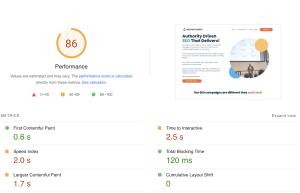 Source: PageSpeed Insights
7. Screaming Frog’s SEO Spider Tool
Screaming Frog is an SEO spider used to crawl both small and large websites. One clear advantage that Screaming Frog has over other site audit tools is that it can handle large, enterprise websites and find issues quickly to visualise a site’s architecture. It helps in:- Finding broken links.
- Analysing page titles and metadata.
- Allows for the extraction of data using XPath.
- Generating XML sitemaps.
- Identifying redirect chains and loops.
- Discovering duplicate content.
- View URLs blocked by robots.txt.
- Canonical tags.
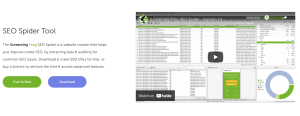 Source: Screaming Frog
How often should a growing business run an SEO audit?
The right cadence depends on how fast the business, and the website, is changing, not a fixed calendar. As a growing business, run a full audit at these trigger points: every six months as a baseline, immediately after a traffic drop of 10%+ following a Google core update, before and after any site redesign or platform migration, and whenever you add a new product line, location, or content vertical that meaningfully expands the site. Businesses adding pages quickly (10+ new URLs a month) should shorten this to quarterly, since new sections create fresh opportunities for thin content, orphaned pages, and cannibalisation that a twice-yearly audit will miss until they've already cost rankings.
Pre-launch technical SEO checklist
Before any new or redesigned site goes live, run through this checklist to avoid the ranking losses that come from skipping technical basics:
- Redirect map: every old URL 301s to its closest live equivalent, no blanket redirects to the homepage.
- Robots.txt and staging noindex tags removed (the single most common launch-day mistake).
- XML sitemap regenerated and submitted in Search Console.
- Canonical tags point to the correct live URLs, not staging domains.
- Core Web Vitals tested on the actual production environment, not staging.
- Structured data (Organization, Product, FAQ, Breadcrumb) validated against Google's Rich Results Test.
- Internal linking rebuilt to match the new site architecture.
- Analytics and Search Console tracking verified before, not after, launch.
If you're weighing whether you need a full migration plan versus this checklist alone: a full plan is warranted whenever the URL structure, CMS, or domain changes; if you're keeping the same URLs and platform, this checklist covers the risk.
On-page SEO mistakes to audit for
When you're auditing on-page SEO yourself rather than outsourcing the whole job, these are the mistakes that show up most often and are the fastest to fix: duplicate or missing title tags across templated pages, meta descriptions that repeat the H1 instead of giving a reason to click, thin content under 300 words on pages meant to rank competitively, missing or broken internal links from high-authority pages to newer content, images without descriptive alt text, heading hierarchies that skip levels (H1 to H3, no H2), and orphaned pages with no internal links pointing to them at all. Run a crawl with Screaming Frog or Ahrefs' Site Audit, export by template type, and fix the highest-traffic templates first.
What does an SEO audit actually check, in plain terms?
In plain terms, a comprehensive SEO audit checks three things: whether search engines can find and read your site (crawlability, indexation, XML sitemaps, robots.txt), whether the site is technically fast and stable (Core Web Vitals, mobile usability, HTTPS, broken links), and whether the content and authority match what's needed to rank (keyword coverage, content depth, meta data, backlink profile). For a small business specifically, expect the audit to prioritise the highest-impact, lowest-effort fixes first: broken pages, missing meta descriptions, obvious content gaps, rather than enterprise-scale concerns like log-file crawl budget analysis, which matter far less on a site under a few hundred pages.
Technical SEO audits for JavaScript-heavy sites
Sites built on React, Vue, or other JavaScript frameworks need an audit cadence and checklist that differs from a standard site. Run these checks quarterly rather than the standard twice-yearly cadence, since rendering issues compound quickly at scale:
- Compare the rendered DOM against the raw HTML source using Google's URL Inspection tool to confirm Googlebot actually sees content that only appears after JavaScript executes.
- Audit crawl budget usage in Search Console's crawl stats report; JS-heavy sites often waste budget on hydration requests and duplicate parameter URLs.
- Check for content behind tabs, accordions, or infinite scroll with no server-rendered fallback, as these are frequently invisible to both Google and AI crawlers.
- Validate structured data is present in the rendered output, not just the initial HTML payload.
On sites with 50,000+ indexed pages, these checks catch rendering regressions that a standard technical audit checklist misses entirely.
SEO audit checklist before a migration or platform change
A migration audit is a different exercise from a routine audit: the goal isn't finding opportunities, it's preventing loss. Before moving domains, platforms, or consolidating sites post-merger, cover: a full crawl and export of every indexed URL and its current ranking/traffic value (this becomes your redirect map); hreflang and canonical tag documentation if the site serves multiple regions or languages; a benchmark of Core Web Vitals and organic traffic by page template, so post-migration regressions are measurable rather than anecdotal; and backlink mapping to your highest-value pages, since these are where a broken redirect does the most damage. For international or multi-directory sites moving to a new domain, audit the current hreflang implementation before touching anything else: it's the single most common source of post-migration international traffic loss. Run this audit four to six weeks before the migration date, not the week of.
Summing up
An SEO audit may not provide quick results, but it is highly effective for resolving technical issues. The main objective of conducting an SEO audit is to generate a responsive and updated website. The more in-depth analysis you do, the more you increase your chances of ranking higher in the organic search results. It’s also essential to stay up-to-date with changes and progressions that occur in SEO, as Google makes thousands of algorithm updates each year. To do so, you should consider performing dynamic SEO audits (between two and four times per year), so your website can adapt accordingly.Earned Media SEO audit services
An SEO audit will determine problem areas that can be fixed. At Earned Media, our SEO audits will help your website to perform better, increase traffic, and improve your SEO to help your business grow. Our website audits involve the following:- Core Web Vitals check.
- E-A-T check (expertise, authoritativeness, trustworthiness).
- Your Money or Your Life (YMYL) check.
- Off-page SEO audit.
- Site architecture.
- Meta descriptions, meta tags, and title tags.
- Monitor keyword rankings fluctuations.
- Backlink audits.
- Content optimisation checks.
- Site speed and web hosting issues.